
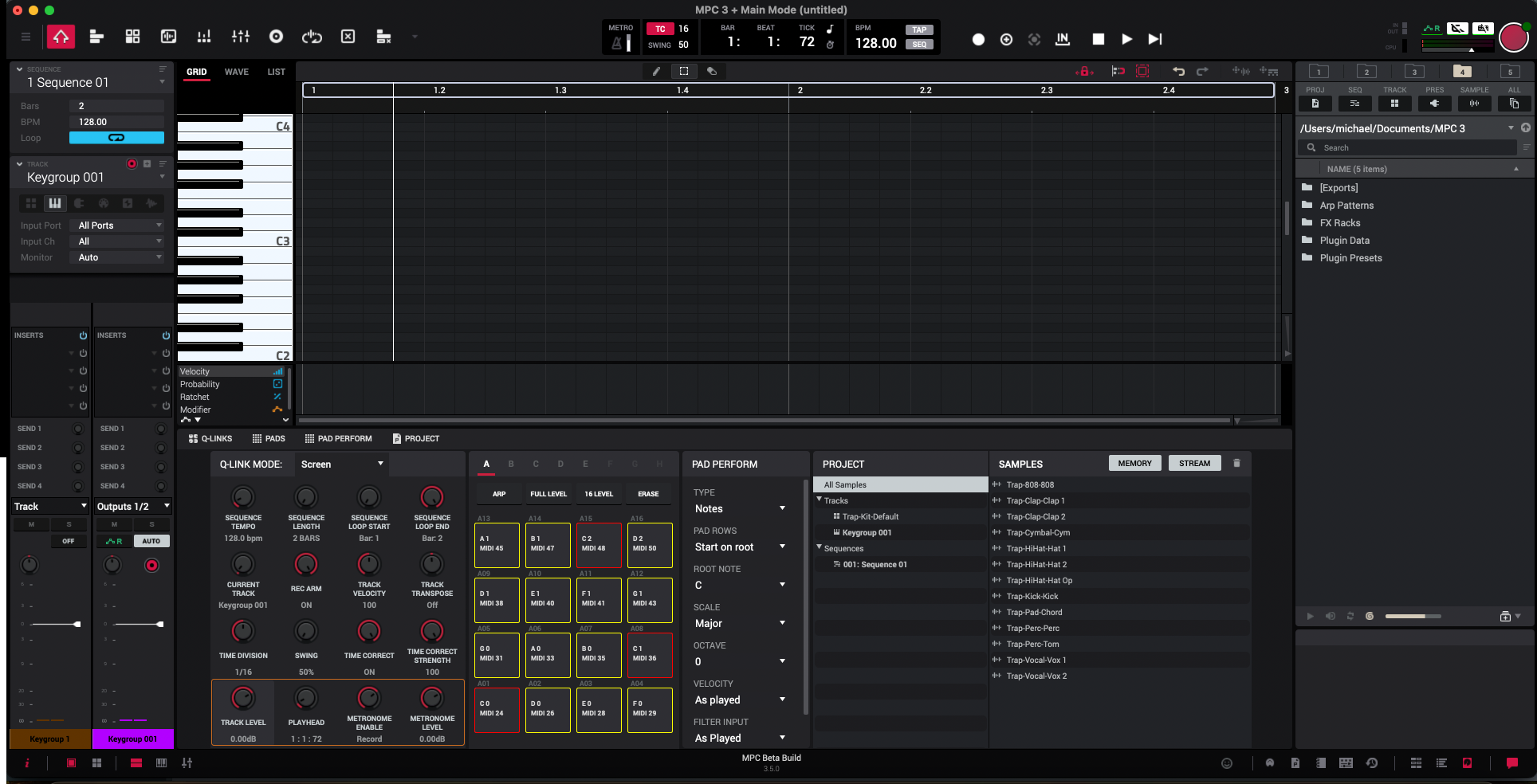
For months, the MPC community had been waiting for this moment: the release of the desktop version of MPC Software 3, as a public beta. It’s now done.
And even if this first version isn’t complete yet, it marks a real turning point in the Akai ecosystem.
In this article, I’ll give you a full breakdown of this update: what it actually brings, what’s still missing, and above all, how to make the most of it right now.
A long-awaited return: the desktop version finally in line with MPC OS 3
Since MPC 3 OS arrived on the standalone machines (MPC Key 61, MPC X SE, etc.), a real gap had opened up between the hardware environment and the desktop software.
Users could no longer open their MPC 3 projects on a computer, and MPC Studio owners were completely shut out of the new workflow.
With MPC Software 3.5 as a desktop version, that rift is finally mended.
You can now get all the new MPC 3 features directly on your computer.
What’s new in MPC Software 3?
Even if the interface may look familiar at first glance, lots of changes are hiding under the hood. Here are the main additions:
A redesigned engine
- 1:1 track model: each track directly contains a program. No more manually linking tracks and programs.
- Disk Streaming: audio samples can now be played directly from disk. A real plus for heavy projects.
- Advanced Keygroup engine: a new multi-sample synthesis engine with 32 modulation destinations, complex envelopes, LFOs, portamento, unison…
What’s new for production
- Tempo automation (per sequence)
- Sampling directly into a pad (Drum Tracks)
- Native VST3 support: you can finally use your favourite plugins in MPC Software
- Simplified activation through the inMusic system (no more iLok key needed)
What’s still missing (and what you should know before adopting it)
This version is still a beta, which means a few important limitations to be aware of:
- No Arranger view (a DAW-style visual timeline)
- No custom time signatures (3/4, 6/8…)
- Not yet usable as a VST/AU plugin in a DAW
- There are still bugs: better not to migrate all your professional projects right away
Put simply, MPC Software 3 desktop is a promising foundation, but still in the testing phase.
Why it’s good news all the same
Even incomplete, this version puts things back in the right order: the desktop software and the standalone MPCs work with the same logic again.
It’s an essential step towards unifying the MPC experience, and it hints at real future compatibility with the Akai Force or a plugin version.
Join the French The Lab community
Do you use an MPC or an Akai Force? Want to ask your questions, find tutorials or share your creations?
Join French The Lab, the French-speaking community for MPC and Force users
There you’ll find:
- Themed discussions
- Technical help from other members
- News on updates and plugins
- Exclusive resources to help you progress
In short
MPC Software 3 desktop marks the return of a smooth workflow between your computer and your MPC. It’s not perfect yet, but it’s a major step for the Akai ecosystem.
And it’s also a great opportunity for you to level up, learn to compose efficiently, and join an active community.
See you very soon on French The Beatmaker.
Leave a Reply