
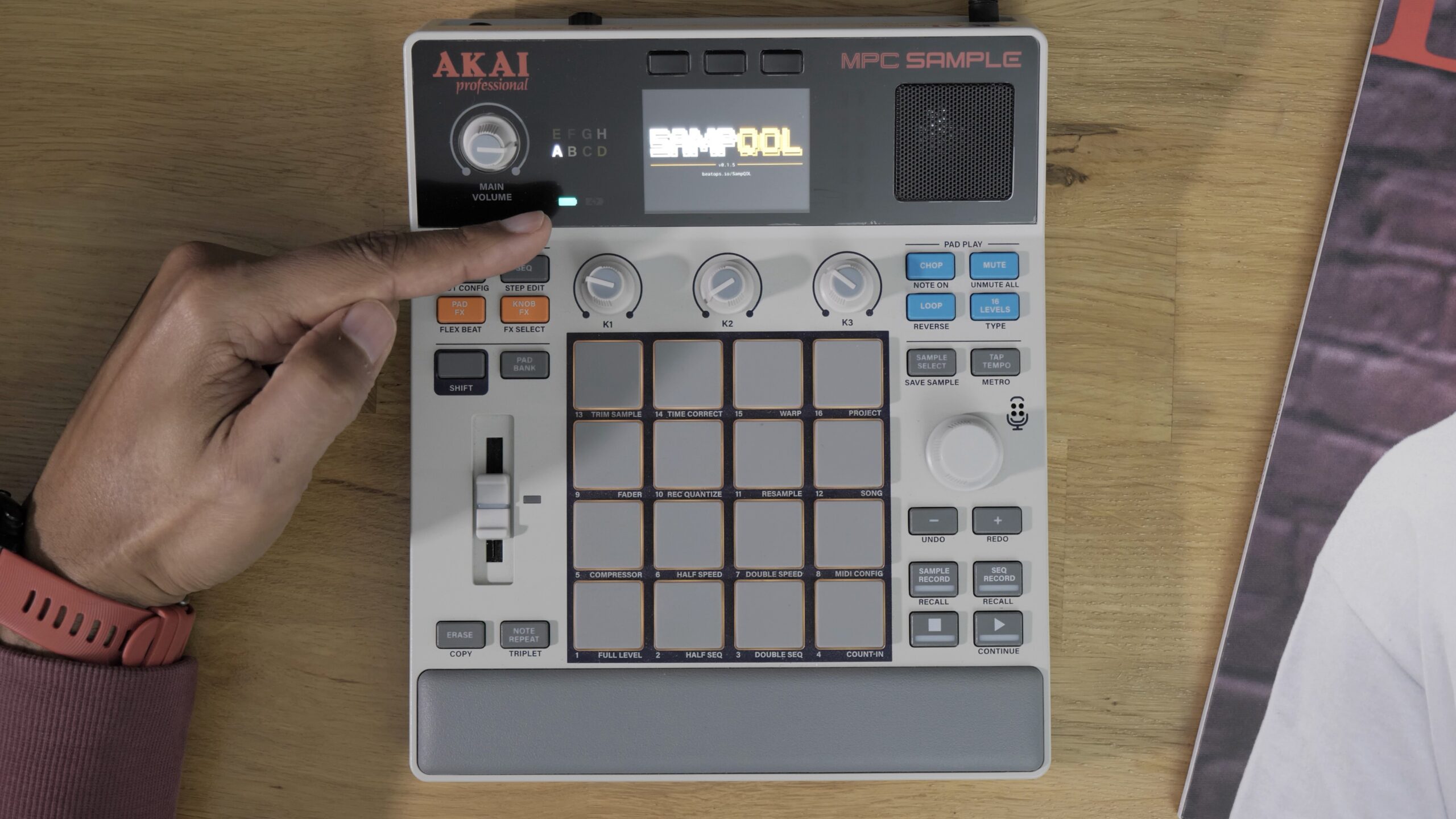
SampQOL MPC Sample is the topic everyone’s talking about right now: a free mod that adds features to the MPC Sample that Akai’s official firmware doesn’t have, like 16 tracks, a step sequencer with a grid, and effects on every pad. QOL stands for Quality of Life: little things that make life better on the machine. OK, it’s a bit of a pretentious name.
I’ll be honest with you: I almost didn’t make this video. This mod is a beta, its code is closed and it’s made by an anonymous developer. Then I took the time to test it, and I was pleasantly surprised. I’ll tell you what I was able to check, the risks, how to install it properly, what it really does, and how to go back.
SampQOL MPC Sample: a closed-source beta
SampQOL is free and brand new: the first version came out on October 30, and there have already been 4 versions in about 3 days. It’s not an Akai mod. Akai doesn’t support it at all and, according to its own license, it may affect your warranty. If you have important projects on your MPC Sample or you use it on stage, I’d advise you to wait. It’s at your own risk.
In the English-language videos, I heard people say it was open source. That’s wrong. It’s closed source: the developer doesn’t share the text of his program, only the already compiled program, which humans can’t read. On GitHub, there’s no code, just a page to download the right version.
As a developer, I opened the file without running anything. The small startup scripts, at least, are readable. Here’s what I saw: the mod goes through a door built into startup (the MPC itself runs a script it finds on the SD card), it checks that your machine is on 1.3.0, otherwise it does nothing, then it hooks into Akai’s application while it’s running, without modifying it. Nothing is written to the system, and I found no trace of a network connection.
Does that prove there’s nothing hidden? No, it doesn’t prove anything at all. You’re trusting someone whose name you don’t even know. And the real risk isn’t your machine, it’s your data: the author says so himself, a project that loads badly can delete samples.
Three precautions and installing SampQOL
Before installing anything, take these three precautions:
Also be careful: if you update beyond 1.3.0, there’s a good chance the mod will stop working. It’s written in the code: the current version won’t launch if another version is detected.
Installation is simple. You go to the mod’s GitHub page, under Releases, and take the version with the highest number (the author asks people not to share the file any other way). You unzip it, format your card as exFAT (careful, that erases everything), then copy the autorun folder as is to the root, without touching anything inside. I’ll confess: I reused a micro SD card already formatted for the MPC Sample and just added the autorun folder. You insert the card, power on, and the machine boots into SampQOL. It’s simple, but it’s not trivial.
- Back up your projects and samples to your computer
- Use a micro SD card just for the mod
- Check your version: turn on the MPC without the card, press Shift + Pad 8, and the version shows up at the top right (you need 1.3.0)
Sixteen tracks, grid and step sequencer
The first addition, To Seq, lets you send a recorded sample straight into the sequence. Honestly, it didn’t convince me, I’m not even showing it to you. The rest, on the other hand, is another story.
On the stock MPC Sample, you only have one drum track, which you record by playing the pads live. With SampQOL, you get 16 tracks, each with its own pads. Shift + Seq shows a grid that mirrors the 16 pads. A grid on the MPC Sample, we’d never seen that. To create a track, you hold Pad Bank, turn the wheel to the empty square and let go. To switch from one track to another, Shift + wheel. How do you delete them? No idea for now.
In the video, I start from an empty project, load a kick, a trap snare and an 808, and program the drums step by step in 1/4: each pad you press is recorded on the beat, and you move around with the wheel. It’s not a DAW, but compared to the official firmware, it’s already pretty good. And Shift + Explode splits your drum track: each element of the kit goes onto its own track, and the original track is muted, just like on current MPCs.
Chords in 16 Levels and sequence length
Another interesting feature: a chord mode. I load a piano on a new track, press Shift + 16 Levels and switch to Scale. There, you choose the scale (I stay in C minor), and by holding Shift, the chord type (1, 3, 5 for example). You can even play arpeggios.
A little trap I fell into: you first have to switch the sample to Poly mode (Sample, button B2, Play page), otherwise you can’t play several notes at once. Still with B2, the Tune page lets you tune the piano to the 808 with knob K1. Then I extend the sequence to 4 bars and duplicate my two bars track by track (I didn’t find how to duplicate everything at once). Honestly, the workflow is pretty good.
Insert effects on every pad and stem export
The thing I find even more awesome: with SampQOL, you can put effects on every pad, which doesn’t exist at all on the official firmware. With Pad FX, you get a screen with 4 insert slots, a bit like on the new-generation MPCs: reverb, EQ, dynamics, harmonic, modulation, vintage. The Tape Emulator is pretty nice for lo-fi. And you can also add effects on the track, on the submix and on the master. It’s insane.
There’s also a stem export, which I don’t show on screen: you save, stop the sequence, Shift + Pad 16, then export, and the MPC gives you one file per track. To finish your track on a computer, it’s perfect. That’s probably what will make you want to install it. But take the precautions.
Going back to the stock OS and the mod’s limits
To go back, you turn off the machine, remove the SD card and turn it back on: it boots into the stock OS, since we didn’t touch the firmware. I find that pretty safe. I imagine Akai will rely on this same system to open the machine to the community, since they’ve just announced they’re going to open up the MPC Sample. But if malicious firmware starts going around, it could be dangerous: when your MPC is plugged into your PC over USB, it has access to your network.
Now, the limits. It’s a beta, it can crash, so make backups. A project made with the mod normally won’t be compatible with an MPC Sample without the mod. And if Akai releases an official update that breaks the mod, you might no longer be able to edit your tracks. There may be a way to recover things, but take this as a warning.
My honest opinion on SampQOL
Honestly, I didn’t believe in it. As it stands, it’s impressive: complete and fairly stable. I’m convinced there’s AI behind it. A mod this complete, released so quickly by an independent developer, is a bit scary. We’re living in a new era, and I think Akai made a good bet by announcing they’d open up their firmware: maybe one day a community OS will take over, without them having to maintain it.
On the other hand, SampQOL’s big weakness is that it’s not open source. Open source means everyone can read the code, fix it and add their own contribution. Here, there’s only a compiled program. What he’s done is good, but if he wants his project to last, unless he wants to sell it one day, he’ll have to open his code. In the meantime, I’m staying cautious: a separate card, backups, and no real projects on it, except to export stems and finish the track in my DAW.
And you, will you install this closed-source mod on your MPC Sample? Tell me in the comments. Chase your dreams all the way!
Read also
- MPC Sample: my honest opinion after getting hands-on
- Behringer Kick and Akai Sample Key: fact and fiction about the MPC
Leave a Reply