
Introduction
The MPC OS 3.6 update brings real improvements to all compatible MPCs, plus an optional tier with the MPC Pack Pro (Force Pack ) to go further in performance and arrangement. This article sums up the essentials, with concrete use cases and a short action plan to go from reading to practice.
WHAT YOU GET FOR FREE WITH MPC 3.6
Drum articulations
You can play and record flams, rolls and ghost notes per pad. The 16 Levels Articulations mode lets you quickly explore realistic variations without editing dozens of events.
Quick use case
- A more human snare at the end of the bar with a short flam.
- Clean trap hi-hats thanks to finger-recorded rolls.
Mod Matrix on Drum Tracks
Up to 32 modulation slots directly on your kits, with useful new sources like LFO2, Ramps, global and per-voice Drift, Note Counter. Before 3.6, this level of modulation was mostly reserved for Keygroups.
Quick use case
- Hats that breathe, with a slow LFO on the cutoff and Note Counter to alternate the pan left/right.
- A livelier kick with a very light Drift and a tiny ramp on the pitch at the start.
Smart Layer Play
Two complementary new features. Crossfade blends 2 to 4 layers, up to 8 depending on the mode, on two axes, X and Y. Offset moves a small Start End Loop window inside a single sample, which lets you vary a loop without chopping it.
Quick use case
- A 4-layer snare with layers of different character, X/Y morphing to go from a dry attack to a fuller texture.
- A percussive loop that keeps renewing itself thanks to Offset modulated by an LFO, sweeping through tiny fragments on every hit.
Automation locked to the step
In the Step Sequencer, the Locked to Step Length option confines automation to the selected step. You get clean, repeatable movements.
Quick use case
- A tiny filter opening on a single hi-hat step to create an accent without spilling over.
- A very short reverb hit on the last eighth note before a drop.
More flexible MIDI and timing
Recording by MIDI channel, event by event. MIDI note output per pad on a Drum Track. Choice between ANY output, to replay each event on its original channel, or a forced channel on a MIDI track. You can set a project time signature other than the classic 4/4 without breaking your sequences or your clips.
Quick use case
- Drive a multitimbral sound module from a single track with Input All and Output ANY.
- Create MIDI-only pads to trigger an external device without playing a local sample.
- Switch a project to 7/8 to explore other grooves.
Comfort and small improvements
- Global tuning per pad to tune all the layers at once.
- Pad Copy that also copies the color.
- Hierarchical menus in the Mod Matrix to find sources and targets faster.
- Touch Strip with Crossfader and Off modes.
- Auto Select Track per sequence for smoother transitions.
Hardware note
The MPC Live 3 adds MPCe pads that are sensitive in X, Y and pressure, a 16-button hardware step sequencer and more USB audio inputs/outputs. These differences come down to the hardware and its associated OS. The core 3.6 features above remain common to all compatible models.
WHAT THE MPC Pack Pro ADDS IF YOU ACTIVATE IT
Force-style clips
Access to a clip matrix, clip editing and Follow Actions, with Ableton Live project import. Ideal for structuring a set into scenes, rearranging on the fly and trying rhythmic variations without duplicating entire sequences.
Quick use case
- Verse, pre-chorus, chorus in three rows of clips, synced launching and Follow Actions to automatically vary the end of the phrase.
Advanced Q-Links with Envelope Follower and LFO
A macro can follow an audio signal as a control source or be animated by a built-in LFO. You get musical morphing and effects that react to your playing.
Quick use case
- Musical sidechain without a compressor: the kick track drives the Envelope Follower, which slightly lowers the bass level on every hit.
- Synced morphing during a build-up thanks to an LFO that opens the cutoff while reducing a delay’s feedback.
Super Warp
A cleaner, more musical time stretch and pitch shift algorithm, set by default in the preferences, then case by case per clip or track.
Quick use case
- Fit a spoken voice or a vocal to a variable tempo with fewer artifacts.
AIR plugins included
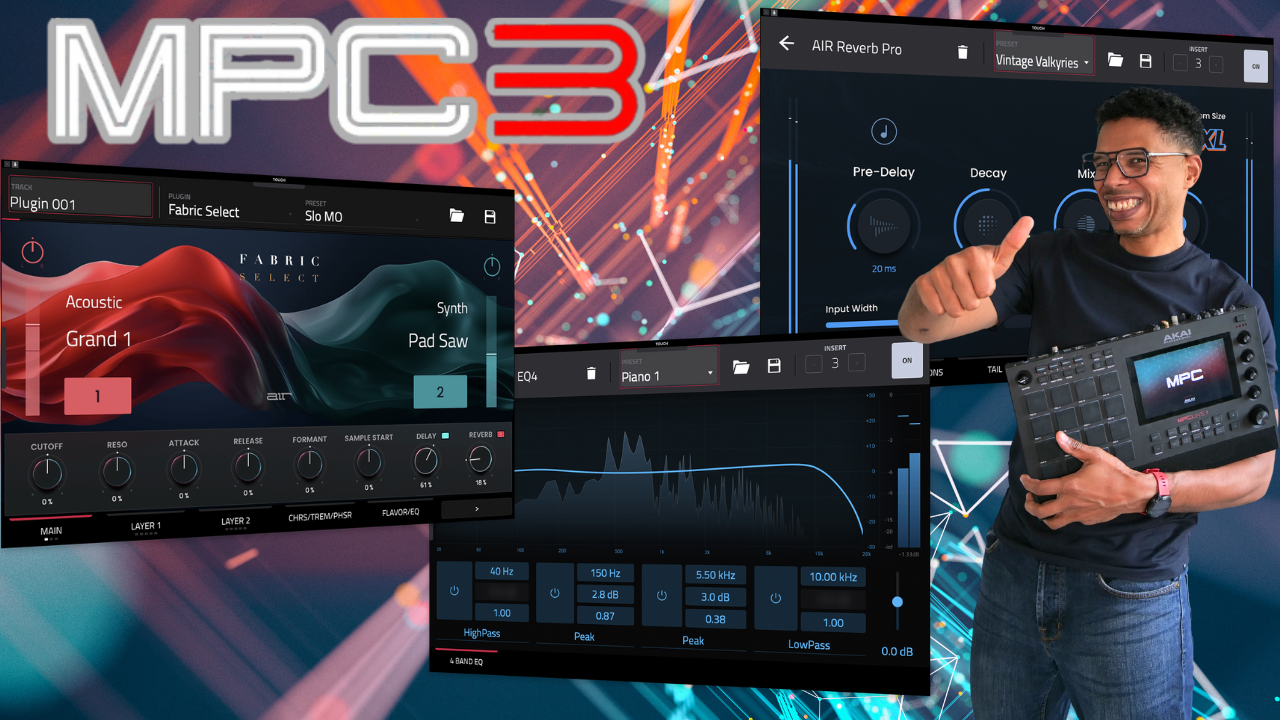
Fabric Select to quickly cover basses, keys and leads. Visual EQ4 to sculpt without loading a chain. Reverb Pro for modern, controlled depth, best placed on a shared aux to save CPU. Utility to handle gain, mono and stereo image with a lightweight tool.
Quick use case
- A single Reverb Pro bus to give several tracks the same sense of space, cleaner and lighter than one reverb per track.
ACTIVATE AND SET UP PROPERLY
- Update the machine to 3.6 via the Online Updater or the model’s download page, then back up your projects before doing anything else.
- If you’re on a Live 3, the MPC Pack Pro is included. Connect the machine to your inMusic account in Preferences Activations, then download.
- On previous-generation models, buy and activate the pack, then switch Use Clip Workflow to ON in Project Defaults.
- In Preferences Audio/Export, set Super as the default warp algorithm if you work with audio clips regularly.
TEN-MINUTE ACTION PLAN
- Update to 3.6 and open a test project.
- Articulations on snare and hats to check the dynamics.
- Drum Mod Matrix: slow LFO on the hats’ cutoff and Note Counter to alternate the pan every other hit.
- Layer Play: Crossfade X between two snare layers and, on a percussive loop, modulate the Offset with an LFO.
- Step Sequencer: lock the automation to the step and add a tiny filter movement on two key steps.
- If the pack is active: Use Clip Workflow ON, create three clips (drums/bass/lead) and a Follow Action, Envelope Follower from kick to bass for musical ducking, set Super as default, put Reverb Pro on an aux bus and send two or three tracks to compare.
CONCLUSION
The 3.6 base clearly raises the musicality of drums, brings Drum Track modulation up to the level of Keygroups and simplifies MIDI. The MPC Pack Pro opens up a real clip workflow, reactive audio macros and cleaner warping, which changes the way you arrange and perform. Start with articulations and Layer Play to feel the difference right away, then try clips and the Envelope Follower if you want to speed up your sets and transitions.
Leave a Reply